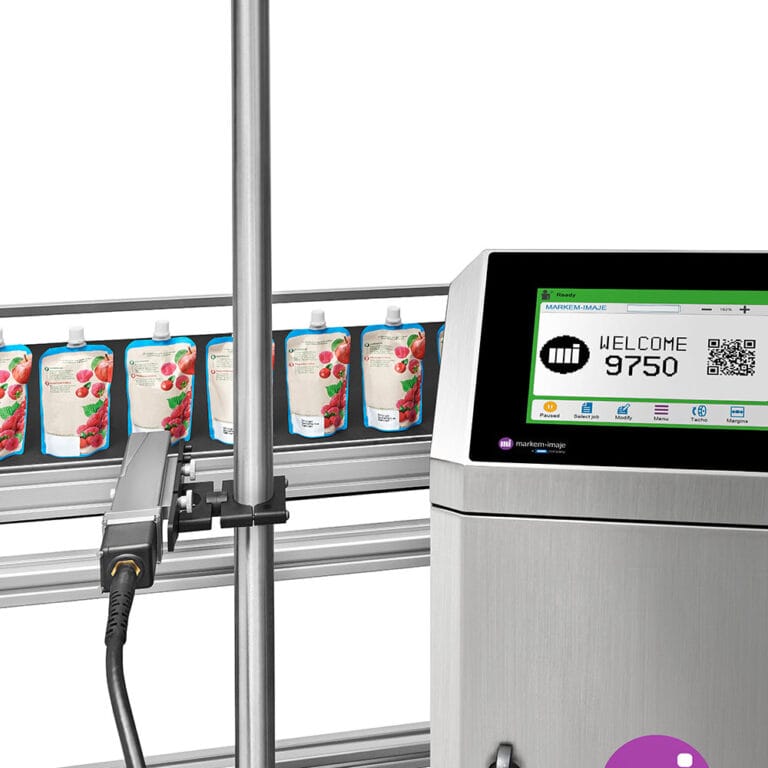
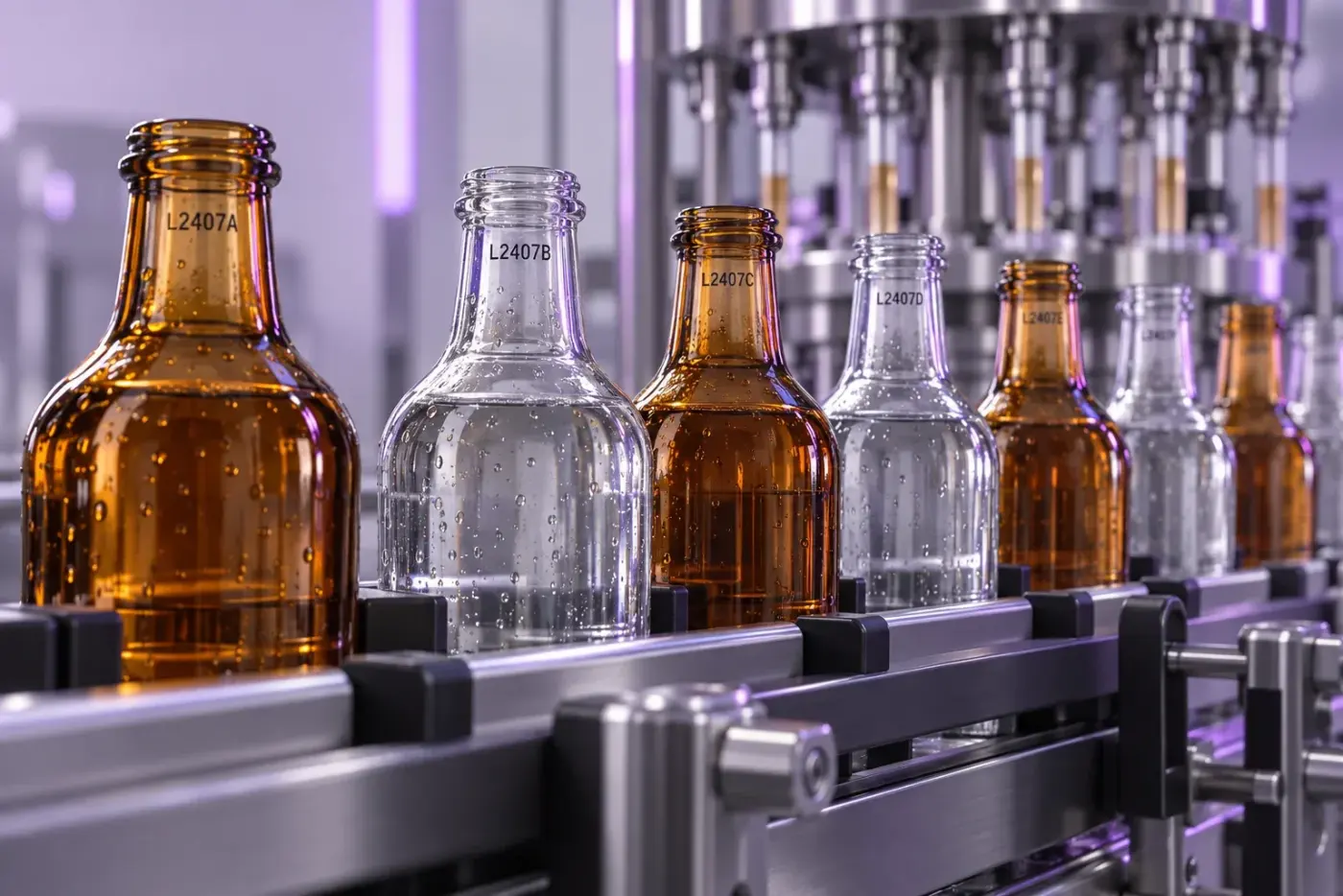

A missing code, a wrong date or a barcode that cannot be read can turn an entire batch into scrap or into a product recall. Managing marking issues in real time means catching them on the line, the moment they happen, not at the customer. In this article you will see how CoLOS Mark & Read works, what it can check, what else a CoLOS Vision and Verification system inspects, how to prevent wrong codes at the source and what to prepare for such a project.
Why should codes be checked right on the line?
Stop losses, inefficiency and non-compliance: this is why more and more manufacturers check every code immediately after printing. Between producing and selling your products, there are many important issues. Besides ensuring that information is correctly marked every time, you need precision and efficiency in printing and coding, so you can focus on producing high-quality products.
Marking errors usually have trivial causes: a dirty printhead, a finished ribbon, a wrong message selected at a batch change, a date entered manually with a wrong digit. Visual checks by the operator catch some of them, but not all, and not at every speed. An error discovered after a few hours means hours of production with wrong codes, products relabeled or recalled and, sometimes, deliveries rejected by the customer.
What is CoLOS Mark & Read and how does it work?
CoLOS Mark & Read is an application that links code printing with camera verification, in the same system. It is part of the CoLOS® information management system from Markem-Imaje, which comes with a variety of applications that can help you reduce the losses caused by coding and marking errors, increasing line efficiency and protecting your brand by ensuring compliance with printing requirements.
In order to control production outputs, CoLOS® Mark & Read confirms that each print is consistently present, can be read and contains the right data, using a fully integrated Cognex camera. The advantage over a separately mounted camera is the link with the data: the system that sends the message to the printer knows what should appear on the pack and can compare the printed result with that information.

Today, Mark & Read is part of the Markem-Imaje vision inspection and verification offer, CoLOS® Vision and Verification. CoLOS software is partnered with Cognex, so verification uses Cognex cameras that work in the same system as the printers. An example from practice: the maintenance manager at Nutrition & Santé, a Markem-Imaje customer, describes Mark & Read as an “almost plug-and-play” system for controlling coding integrity.
View video: the demonstration below shows what code verification looks like on a production line.
What does the system check: presence, readability and accuracy?
The system checks three things, and each level answers a different question about the code. Vision systems and “Mark & Read” software allow manufacturers to adjust the level of code verification to best suit the needs and budget of the application.
| Verification level | What it checks | When it fits |
|---|---|---|
| Code presence | Whether every product carries the mark, in the expected area. | When the main risk is an unmarked product, for example when the printer stops or the consumable runs out. |
| Readability | Whether the text, barcode or 2D code can be read correctly. | When the code has to be scanned further on: in the warehouse, at the customer or at the checkout. |
| Data accuracy | Whether the information read (batch, date, product code) is the right one for the product on the line. | When a wrong date or batch means a recall or non-compliance, as in the food and pharmaceutical industries. |
For text, verification is done by optical character recognition (OCR). For barcodes and 2D codes, the system can confirm both that they can be read and that the data in them is correct, and where the application requires it, it can also assess code quality (grading). Not every line needs the highest level: a presence check may be enough on a line with a single product and simple data, while a line with many variants and frequent batch changes needs data verification.
Markem-Imaje calls this part coding integrity: presence, absence or partial presence of the code, 1D and 2D code verification, barcode grading and print quality verification. It matters most on difficult backgrounds: curved, glossy, low-contrast, reflective, uneven or metallic surfaces. The system reads 1D and 2D codes even on tilted images, so the product does not have to pass perfectly aligned in front of the camera.


What else can a CoLOS Vision and Verification system inspect?
Besides the code, the same vision system can check the product and the packaging. The CoLOS Vision and Verification offer covers three types of checks:
- Product inspection: product orientation, sealing, cap position, gaps, complete sets and kits, color, defects or damage and misalignment. The result: less rework and fewer returns, and a lower risk to the brand image.
- Coding integrity: the presence and quality of codes, described above.
- Packaging integrity: checks that the packaging material is the right one, detects damaged packaging and confirms compliance with regulations and specifications. The packaging is matched with the product on the line using pre-printed data or data from the ERP or a database.

For you, the benefits are twofold: brand protection, by reducing the risk of non-compliance, and faster production, because checks are done automatically rather than manually. A concrete example: packaging from another variant, loaded onto the line by mistake, is flagged before the product leaves in the wrong pack. If you already have a camera for the code, it is worth checking which other manual checks it can take over.
On which lines and products is code verification used?
Verification is used wherever a wrong code costs more than checking it. Markem-Imaje lists beverages, food, automotive, cosmetics and construction as typical industries. Code presence verification can be configured with all printing technologies, so the system fits lines with inkjet printers (CIJ or TIJ) as well as lines with thermal transfer (TTO), laser or automatic labeling. A few typical situations:
- flexible packaging and pouches marked by thermal transfer, where a broken or finished ribbon leaves products without a date;
- bottles, cans and jars marked by inkjet, on curved surfaces and at high speeds;
- cases and logistics labels with barcodes that must be read in the warehouse and at the customer;
- pharmaceutical packaging and products with unique 2D codes, where every code must be correct and readable.
The actual conditions decide which camera and which configuration fit: line speed, surface shape (flat or curved), code contrast on the pack and lighting in the reading area. That is why the choice is made on your products and your line, not from a catalog. For the printing technologies that can be verified, see the page on marking and coding.
What happens when a code fails verification?
The system immediately detects missing, unreadable or incorrect codes, so the problem is solved before hours of production with wrong codes pile up. What follows detection is decided at the design stage, depending on the line and the product:
- a visual or audible alarm for the operator, who checks the printer and corrects the message;
- stopping the line, when no wrong product is allowed to go further;
- removing the non-compliant product from the conveyor, if the line has a reject device;
- logging the event, so you know what happened, when and on which batch.
Discuss these options with the quality manager and the production manager before the project. Stopping the line for every doubtful code may be too much for some products, while a simple alarm may be too little for others. The decision depends on what a wrong product reaching the customer costs you, compared with what a stop costs you.
Most errors happen at a batch or product change. If you cannot check everything from the start, begin with data verification exactly at these moments.
How do you prevent wrong codes before they reach the printer?
The safest option is for a wrong code never to be printed at all. That is why camera verification works best together with a module that controls messages before printing: CoLOS® Message Management and Control. It centrally manages the design of messages, codes and labels and sends them correctly to printers using different technologies:
- Centralized message design: compliant messages are designed in a single interface, with data taken from an internal or external system;
- Design control: approved messages are protected against changes, and the workflow is traceable, with roles, approvals and change history, including across several plants;
- Automated packaging operations: data comes live from the ERP or MES, and printing is triggered by network files, by Ethernet or by OPC, from the MES, PLC or SCADA, with feedback back into the MES or ERP.
The modules are CoLOS® Message Design, Data Management (the link with the ERP and with product codes, SKU), Design Control and Production Control. On the line, the effect is simple: the operator no longer types data or selects the message manually at a batch change, so exactly the errors described at the start of this article disappear. The result: compliance, less waste from human error and correct messages. The camera remains the safety net for what physically happens at printing: a dirty head, a finished ribbon, a badly positioned product.
How is code verification linked to traceability?
Verification is the last link in the traceability chain: it confirms that the data generated in the system has reached the product correctly. 2D codes, such as DataMatrix and QR, can contain the product code (GTIN), the batch, the expiry date and a unique serial number. The more data a code contains, the more it matters that every code is correct and readable.
The GS1 organization promotes the move from classic barcodes to 2D codes through the GS1 Sunrise 2027 initiative. If you are preparing for dynamic 2D codes, plan verification together with printing. You will find more on the pages about 2D codes and traceability and brand protection, where unique codes help verify product authenticity.
On the software side, the CoLOS system can be integrated with the ERP and existing traceability systems, so that printed and verified data come from the same source and reach the production reports. See also our software solutions for production and traceability.
The CoLOS range also includes modules for other stages: CoLOS® 2D Activate and 2D Engage for packaging with dynamic 2D codes, Pallet Track for pallets, Line Control and KPIs for line monitoring, Multi-site Management for several plants, IT-OT Integration for linking IT systems with production systems, and CoLOS® Manufacturing Security. You do not need all of them: start from the most costly problem on your line and add modules as the need grows.
What should you prepare to choose the right level of verification?
Prepare a clear description of the codes, the line and the desired reaction to an error. With this information, the configuration can be set correctly from the start:
- The list of codes: what text, barcodes or 2D codes you print on each product and which data change with each batch.
- Existing printers: the printing technology and the models used on the line.
- Line speed and packaging: flat, curved or flexible surface, glossy or transparent.
- Reaction to errors: alarm, stop, reject or logging only.
- Available space for the camera and lighting, after the printer.
- Data source: whether messages come from an ERP or are entered manually at the line.
Add a few samples of marked packaging and, if possible, a short video of the line. Also tell us whether you want to check the product or the packaging as well as the code. This way you choose the level of verification you need, without paying for functions you do not use. If you are only now choosing the marking technology, start with our tips for choosing the right coding.
How does Imark Sistem help you?
As an official Markem-Imaje partner in Romania, we start from your line and your codes. We analyze what needs to be checked and what should happen in case of an error, test on your samples and propose the right printing and verification configuration, from Mark & Read to centralized message management. We take care of installation, integration with printers and IT systems, commissioning, operator training and service, with nationwide technical support and original consumables for printers.
Send us the list of codes and a few photos of your packaging. You can reach us at 021 255 71 74 or at office@imarke.ro.
Frequently asked questions about code verification with CoLOS Mark & Read
What does CoLOS Mark & Read check?
The system confirms that each print is present, can be read and contains the right data, using a fully integrated Cognex camera. Mark & Read is part of the CoLOS Vision and Verification offer from Markem-Imaje.
What else can a CoLOS Vision and Verification system inspect?
Besides the code, it can check the product (orientation, sealing, cap position, gaps, complete kits, color, defects, misalignment) and the packaging (the right material, damaged packaging, matching with the product based on pre-printed data or ERP data).
Does it work with any printing technology and on any surface?
Code presence verification can be configured with all printing technologies. The system reads 1D and 2D codes also on curved, glossy, reflective or metallic surfaces, and the verification level is adjusted to the needs and budget of the application. The camera and configuration are chosen according to line speed, packaging shape and code type.
What happens when the system finds a wrong code?
Depending on the configuration, the system can trigger an alarm, stop the line or command the removal of the product from the conveyor, and the event is logged. The right option is decided at the design stage.
Can it be integrated with our IT systems?
Yes. The CoLOS system can be integrated with the ERP and existing traceability systems, so that printed and verified data come from the same source and reach the production reports. The Message Management and Control module takes data directly from the ERP or MES, so messages no longer have to be entered manually at the line.